A look at Traq 3.9
Traq 3.9 is taking shape, and several of the screens you use every day have been rebuilt. Assigned tickets on a profile are easier to work through and can be filtered, relationships are easier to manage, and the changelog, roadmap, and ticket listing have all been redesigned. All of these changes are available in the v3.9.0-alpha.2 release.
What's changing in 3.9
Here is a look at some of what has changed.
Assigned tickets on your profile
Assigned tickets on a profile used to be one long table of summary, project, status, and dates, with no way to narrow it down. The listing is now easier to use. Filter by status, type, milestone, or component, and pick more than one value at a time.
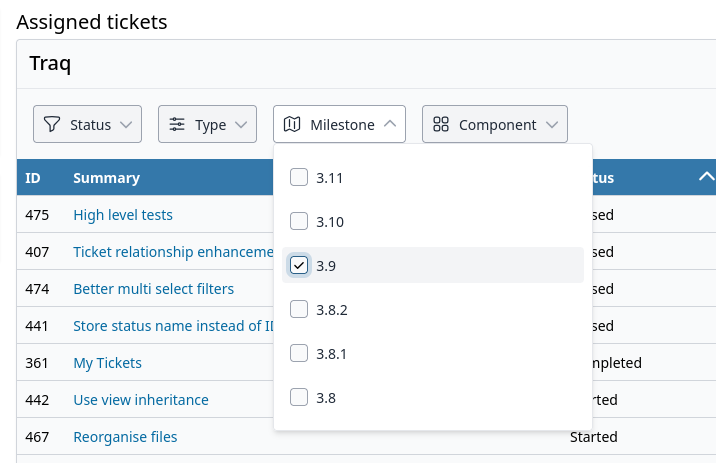
Assigned tickets on the profile, filtered by milestone
Ticket relationships
Related tickets have a new interface. Choose how two tickets relate, see each link as a chip you can remove, and search by summary or ticket number as you type.
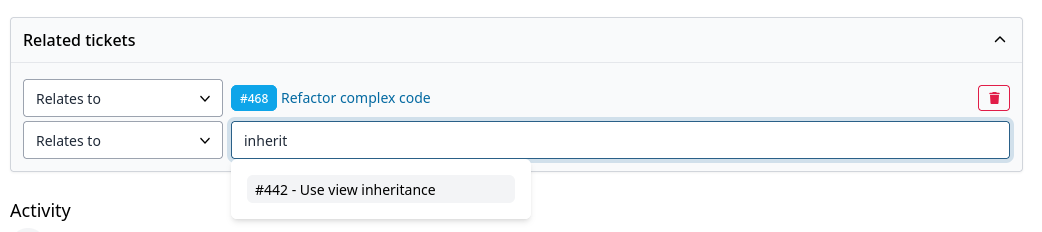
Linking a related ticket, with suggestions as you type
A redesigned changelog
The changelog is now a timeline. Each version shows its date, the latest release is marked, and every change is labelled, such as an enhancement or a fix.
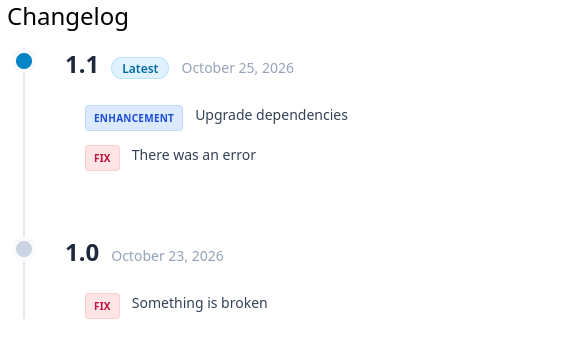
The new changelog, with the latest version marked
A redesigned roadmap
The roadmap has been rebuilt around each milestone. Sort by display order, and switch between active, completed, and all milestones. A milestone shows its status, due date, a short description, how complete it is, and how many tickets are closed, started, open, and in total.
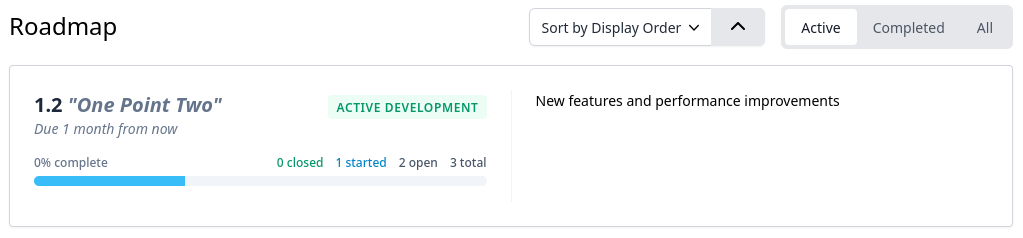
A milestone on the new roadmap, with progress and ticket counts
Ticket listing, rewritten in Alpine.js
The ticket listing has been rewritten in Alpine.js. Build a filter by field, such as milestone or status, choose one or more values, then apply it. Search sits above the table, and a columns menu lets you choose what the listing shows.
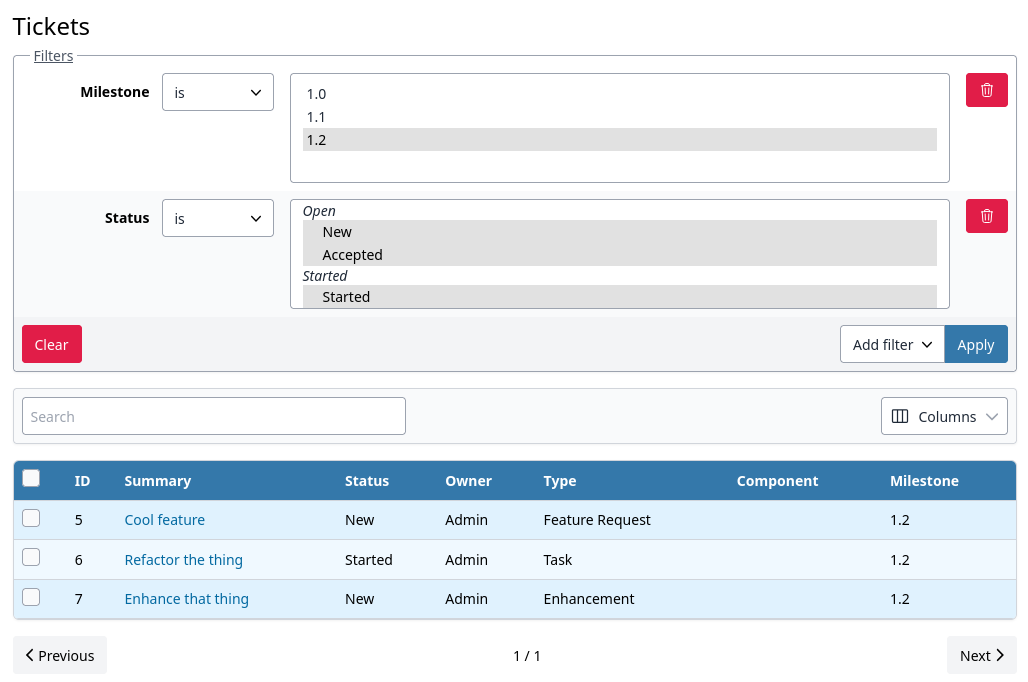
Filtering the ticket list by milestone and status
Try it in v3.9.0-alpha.2
Everything shown here is in Traq v3.9.0-alpha.2. This is an alpha release for testing only. Do not use it in production, and back up your database before trying it on an existing install.
Download v3.9.0-alpha.2 (GitHub)